
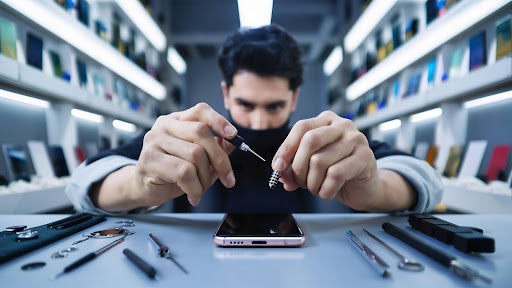
Samsung phones are powerful and versatile, but they aren’t immune to issues. From unresponsive screens to battery problems, knowing common faults and practical fixes can save time, stress, and money. For users in Auckland, visiting a trusted Samsung repair centre or Samsung phone repair shop in Auckland is often the fastest way to restore full functionality.
This guide highlights typical problems, simple DIY solutions, and when professional help is necessary. By understanding these issues, you can make informed decisions and ensure your device stays in top condition, while relying on experts for reliable repair services.
Cracked or Unresponsive Screen
One of the most frequent problems is a damaged display. A cracked or unresponsive screen can happen from accidental drops, pressure on the device, or sudden impacts. This not only affects usability but can also expose sensitive internal components to dust and moisture.
Practical Fixes:
- Inspect the screen carefully. Small surface cracks may still allow you to use the device, but deeper cracks usually require replacement.
- Avoid using excessive force when tapping or swiping if the screen is partially responsive.
- Visit a reputable Samsung repair centre for screen replacement, where technicians can install a new glass and digitizer assembly.
DIY screen repair is risky and can cause further damage, so professional help from a Samsung phone repair shop in Auckland is strongly recommended when the display is severely damaged.
Battery Drains Too Fast
Battery performance naturally declines over time, but sudden drops or short battery life can be frustrating. Common causes include background apps running constantly, outdated software, or an aging battery.
Practical Fixes:
- Check battery usage in settings to identify apps consuming excessive power.
- Reduce screen brightness and turn off always‑on display features to save energy.
- If the device is more than two years old and battery life continues to decline, a battery replacement at a Samsung repair centre can restore much of the lost capacity.
Avoid leaving your device plugged in overnight every night, as this can contribute to long‑term battery wear.
Charging Problems
If your phone won’t charge, charges slowly, or shows a charging error, the issue could be related to the charging port, cable, adapter, or internal components.
Practical Fixes:
- Use only certified cables and chargers designed for fast charging.
- Inspect the charging port for debris or lint and gently clean it with a soft, dry brush.
- Restart the phone before trying again, as software glitches can sometimes block charging recognition.
Persistent charging problems often need professional diagnosis. A qualified Samsung phone repair shop in Auckland can test and repair faulty charging ports, replace damaged cables inside the device, and ensure safe charging again.
Water and Liquid Damage
Even though many recent phones have some level of water resistance, exposure to liquids can still lead to serious issues. Water can corrode internal circuits, short‑circuit components, and trigger long‑term reliability problems.
Practical Fixes:
- Power off the device immediately if it gets wet.
- Gently dry the outside with a soft cloth.
- Do not use a hairdryer or heat source, as excessive heat can damage the battery and circuits.
Sensitive issues like liquid damage require professional attention. A credible Samsung repair centre can open the device, clean affected areas and replace damaged components, often saving a phone that would otherwise fail completely.
Software Glitches and Performance Slowdown
Slow performance, app crashes, and unresponsive system features are often caused by software issues. These can be triggered by outdated software, app conflicts, or corrupted system files.
Practical Fixes:
- Check for system updates regularly and install them when available.
- Clear the cache partition via recovery mode to remove temporary system files that slow performance.
- Uninstall apps that are rarely used or that show unstable behavior.
For persistent or complex software problems, visiting a trusted Samsung phone repair shop in Auckland can help. Technicians can run detailed diagnostics and restore the device properly.
Speaker, Microphone or Audio Issues
Poor sound quality, distorted audio, or failing speakers can occur due to debris blocking the speaker grille, software bugs, or hardware faults.
Practical Fixes:
- Check if the phone is on silent or Do Not Disturb mode.
- Clean speaker grilles gently using a soft brush to remove any dirt.
- Test audio in safe mode to see if an app is interfering.
If, after these steps audio still fails consistently, professional repair at a Samsung repair centre can identify whether components need replacement.
Camera Problems
Blurry photos, focus issues, or complete camera failure can spoil the photography experience. These issues might stem from software glitches, lens damage, or faulty sensors.
Practical Fixes:
- Clean the camera lens carefully with a microfiber cloth.
- Close and relaunch the camera app.
- Update system software to ensure compatibility.
Hardware issues like broken sensors are best handled by a Samsung phone repair shop in Auckland, where trained technicians have the tools to inspect and fix camera modules safely.
When to Visit a Professional
Some problems are simple, and you can troubleshoot them at home. But persistent issues, hardware failures, and water damage usually require professional tools and expertise. That’s where a Samsung repair centre or Samsung phone repair shop in Auckland plays an important role. They offer reliable diagnostics, genuine parts, and skilled technicians who can fix even the most complex faults, helping you avoid costly replacements.
Professional help not only restores performance and functionality but also protects your device investment and keeps your data safe. Regular maintenance and quick attention to small issues can also extend the life of your phone significantly.
Conclusion
From cracked screens and battery problems to slow performance and charging issues, common Samsung phone faults can disrupt daily use. While some glitches are fixable at home, many require professional attention. In Auckland, a trusted Samsung repair centre or Samsung phone repair shop in Auckland ensures expert care, reliable solutions, and fast turnaround to keep your device fully functional.
For reliable and prompt solutions to all your phone problems, NZ Electronics Repair offers expert diagnostics and repair services across Auckland. Their skilled technicians handle screen replacements, battery swaps, water damage restoration, charging port fixes, audio and camera repairs with quality parts and fast turnaround. Trust their local Samsung repair centre and phone specialists for dependable service and peace of mind.